

Turn webinars and talks into on-brand short clips
Upload a webinar, panel or talk recording and TheMomentra finds the answers and insights that stand on their own, frames one, two or three speakers or the shared screen, and captions each clip in your saved brand style. Your team edits in one workspace, and nothing goes to YouTube or Instagram until someone has watched and confirmed it.
 9:16
Three layout illustrations. The editor offers more layouts, listed on the Features page.
Layout illustration. Speaker tracking and screen detection depend on the source.Which webinar moments make good clips
The best clips from a webinar are the moments someone would forward to a colleague. Look for:
- A direct answer to an audience question, with the question kept in when the answer needs it.
- One data point with its explanation: the number and why it matters, in the same clip.
- A short story from a speaker that makes a point on its own.
What to leave out
Skip housekeeping, speaker introductions, sponsor reads and "can you see my screen?". They often fill the first minutes of a recording and rarely work out of context.
What you get
Layouts for panels and slides
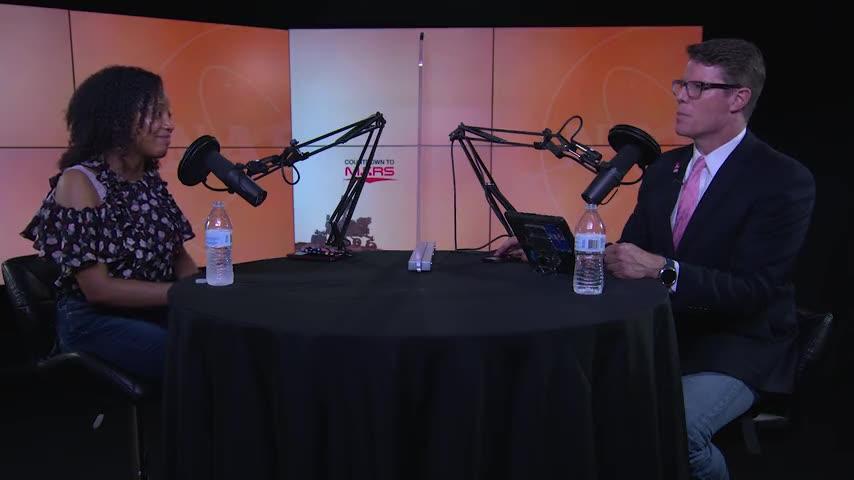
Two people, Three people, Screen + speaker and Webcam over screen frame a panel or a presenter with their slides.
Brand styles you save once
Save your captions, colours, fonts and framing as a brand style. New clips follow it automatically.
Motion graphics
Big numbers, name tags and side-by-side comparisons appear in time with the words.
Clearer sound
Turn on speech enhancement and loudness levelling for recordings made on laptop microphones.
Post drafts
Editable drafts of titles, captions and hashtags for YouTube, Instagram, LinkedIn and X. You copy the LinkedIn and X drafts; TheMomentra doesn't post there.
Publish when you're ready
Publish to YouTube or an Instagram Business or Creator account, now or on a schedule, or download the MP4.
Recording permission
Get speakers' and attendees' permission before you republish their voices or faces, and use a recording file you are allowed to download.
How to prepare a Zoom, OBS or Loom recordingPlans for teams
Pro includes 600 minutes a month, videos up to 60 minutes and 5 team members. Enterprise has 20 team members and minutes to fit your contract.
Creator: $12/month for 200 upload minutes, or $9/month billed yearly; in India ₹699/month, or ₹499/month billed yearly.
Talk to usHow it works
- 01
Bring your original
Upload an MP4 or MOV with clear speech. One primary speaker works best. Your source is stored privately.
- 02
Find complete ideas
We transcribe the spoken language, then analyze the full conversation. Uncertain transcripts pause for your review.
- 03
Make it yours
Review why each moment was chosen. Correct captions, adjust boundaries and choose framing. Translate the captions into English, Hindi or Marathi, with an optional AI voice dub. The standard source selection is up to 90 seconds per clip on every plan, including Pro. Nothing is published automatically.
- 04
Share on your terms
TheMomentra drafts each clip's title, caption and hashtags. Publish to YouTube or Instagram now or on a schedule, plan a week of posts in one step, or download the MP4. You confirm every detail before anything goes out.
Questions
How long can a webinar recording be?
Free: up to 25 minutes; Creator: up to 25 minutes; Pro: up to 60 minutes. Upload an MP4 or MOV file.
Can several people work on the clips?
Yes. Pro includes 5 team members and Enterprise 20. Editors work with your plan's minutes and your channel; billing and settings stay with you.
Can clips match our brand?
Save a brand style once, with captions, colours, fonts and framing, and new clips follow it automatically.
Will it post anything without me?
No. Every clip waits until you have watched it and confirmed its content, captions, visuals and audio. YouTube uploads start as private, and you choose the channel, audience and visibility each time.
Try it on your own video
Upload a recording you're allowed to use, review the transcript and every clip, and publish only what you confirm.
Start free: 30 minutes, no card