

YouTube Shorts size, length and safe area
The numbers you need before you export a Short, and the reasons behind them. Checked against YouTube's help pages in October 2026.
Updated
The short answer
- Aspect ratio: vertical 9:16, or square 1:1. Vertical fills the phone screen and is what most Shorts use.
- Resolution: 1080 × 1920 pixels for vertical. A lower resolution works but looks soft full screen.
- Length: up to 3 minutes. YouTube raised the limit from 60 seconds in October 2024.
- Format: MP4 with H.264 video and AAC audio is the safest choice.
How long should a Short be?
Up to 3 minutes is allowed, but allowed isn't the same as best. Make it as long as the idea needs and no longer: a single tip may need 20 seconds, a story 50. A clip that makes one complete point and ends is better than one padded to a target length.
If you use music that isn't yours, be careful with longer Shorts. YouTube's help pages say that Shorts longer than one minute with an active Content ID claim are blocked. Use music you have the rights to, and give credit when its licence asks for it.
Keep captions out of the covered areas
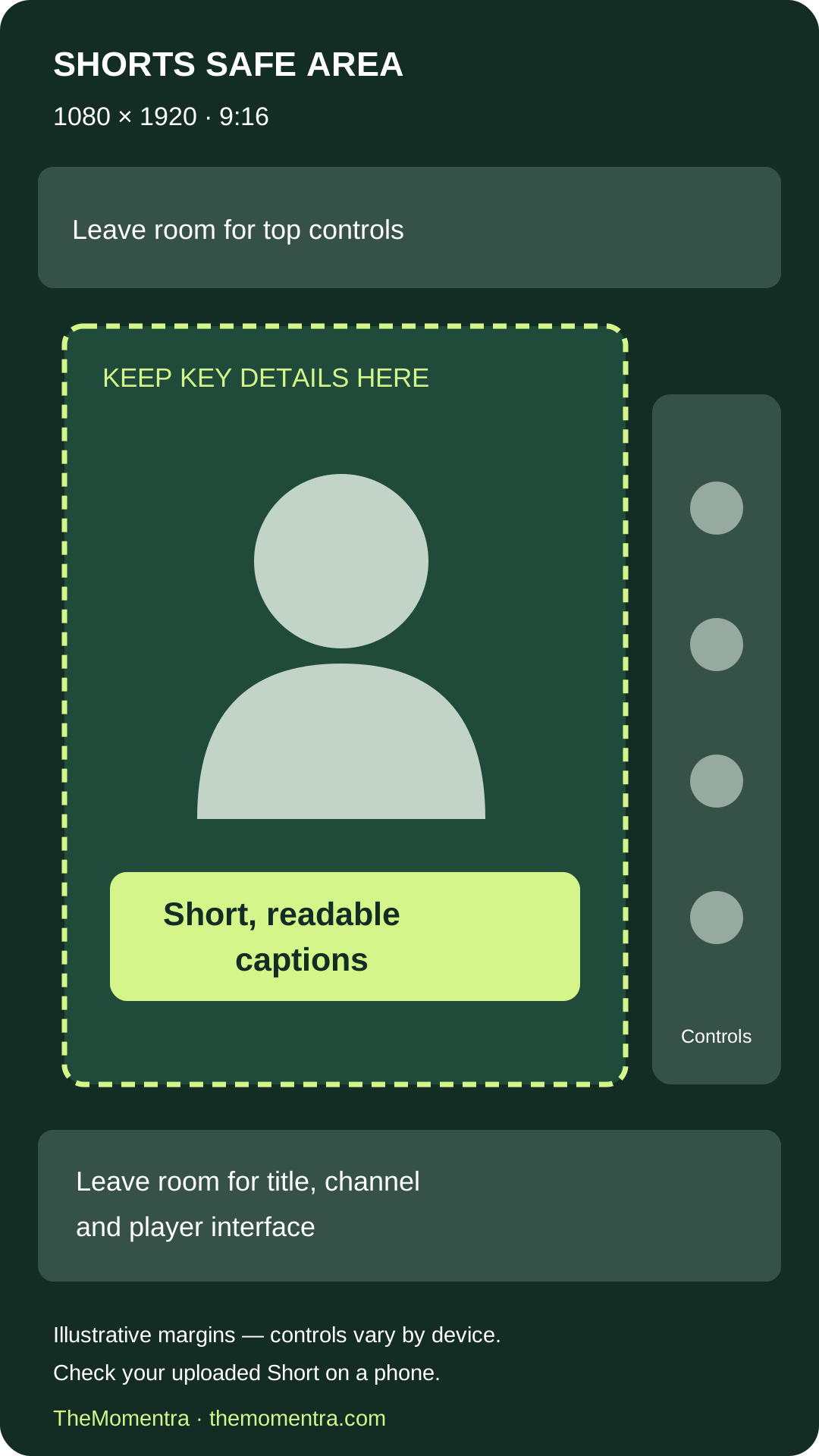
The Shorts player draws its own interface over your video. The bottom of the screen holds the title, channel name and subscribe button; the right-hand edge holds the like, dislike, comment, share and remix buttons; the top can hold the search and menu icons.
Anything important (captions, a headline, a face) should sit in the middle of the frame, a little above centre. Captions in the lower third, but clear of the bottom edge, are easy to read and stay uncovered.
Cropping a horizontal video to vertical
A 16:9 video cropped to 9:16 keeps only about a third of its width, so the crop has to follow what matters:
- One person talking: keep their face in the crop as they move.
- Two people, or a wide shot: put the whole frame in the middle with a blurred copy behind it.
- A screen recording with a presenter: show the part of the screen being discussed above the presenter.
How TheMomentra handles this
Every clip is rendered as a 9:16 MP4. You choose the framing: follow the speaker, blurred background, the full frame, screen and speaker, or a crop you set yourself. Captions go in the upper, centre or lower safe area, and when a music track's licence asks for credit, the credit is added to the YouTube description for you.